Why study at Algonova?

Why study

at Algonova?

Why study at Algonova?

Foundation for the future

We provide the core knowledge needed for tomorrow’s careers, especially in Tech.

Academic support

We develop logic and analytical thinking, making it easier to learn school subjects.

Modern tools

We teach how to work in a digital environment using tools that are in demand today.

From playing to creating

We teach kids to use technology for building and creativity - not just for spending time.

Motivation and guidance

We keep children engaged from the first class all the way to their final project.

Foundation for the future

We provide the core knowledge needed for tomorrow’s careers, especially in Tech.

Modern tools

We teach how to work in a digital environment using tools that are in demand today.

Academic support

We develop logic and analytical thinking, making it easier to learn school subjects.

From playing to creating

We teach kids to use technology for building and creativity - not just for spending time.

Motivation and guidance

We keep children engaged from the first class all the way to their final project.

Best course for your child:

Best course for your child:

Best course for your child:

Design Junior

Design Junior

01

Age: 8-12 years

02

Program length: 32 sessions

03

Session duration: Private 60 min/session, Group 90 min/session

04

Class format: Private 1-on-1, Group 4 students/class

Tools Used

Tools Used

GIMP: For digital drawing (similar to Ibis Paint) and photo editing (similar to Adobe Photoshop)

Inkscape: For vector design, logos, and character illustrations (similar to Adobe Illustrator or CorelDRAW)

Tinkercad (web-based): For creating basic 3D models and objects

Wick Editor (web-based): For creating simple animations (similar to FlipaClip or Alight Motion)


Module 1

Module 2

Module 3

Module 4

Module 5

Module 6

Raster Graphics

L1. Dot, line, pattern

L2. Fill with color and texture

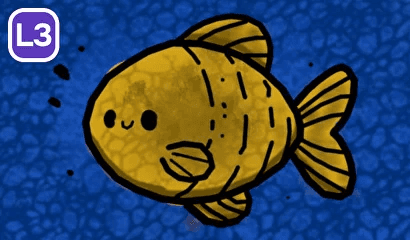
L3. Multilayer illustration
L4. Patterns

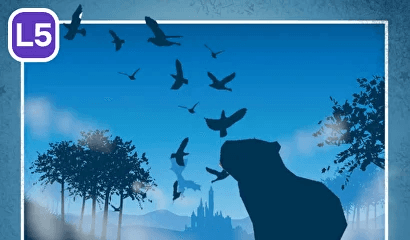
L5. Silhouettes
L6. Working with color

L7. Collage

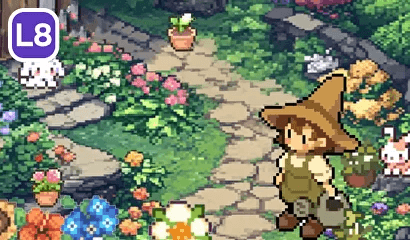
L8. Dream design

Outcome: Students can create colored digital artwork using layers and textures, and make photo collages.

Raster Graphics

L1. Dot, line, pattern

L2. Fill with color and texture

L3. Multilayer illustration
L4. Patterns

L5. Silhouettes
L6. Working with color

L7. Collage

L8. Dream design

Outcome: Students can create colored digital artwork using layers and textures, and make photo collages.

M1

M2

M3

M5

M4

M6

Module 1

Module 2

Module 3

Module 4

Module 5

Module 6

Raster Graphics

L1. Dot, line, pattern

L2. Fill with color and texture

L3. Multilayer illustration
L4. Patterns

L5. Silhouettes
L6. Working with color

L7. Collage

L8. Dream design

Outcome: Students can create colored digital artwork using layers and textures, and make photo collages.

Why learn Graphic Design?

Why learn Graphic Design?

Why learn Graphic Design?

Creative Expression

Creative Expression

Express ideas and emotions through images and animation.

Professional Tools

Professional Tools

Learn industry-standard tools used by designers worldwide.

Learn industry-standard tools used by designers worldwide.

Design Fundamentals

Design Fundamentals

Understand color, shape, and composition principles.

Understand color, shape, and composition principles.

Portfolio Building

Portfolio Building

Create projects in graphics, animation, and 3D design.

Create projects in graphics, animation, and 3D design.