Why study at Algonova?
Why study at Algonova?
Why study
at Algonova?
Foundation for the future
We provide the core knowledge needed for tomorrow’s careers, especially in Tech.
Academic support
We develop logic and analytical thinking, making it easier to learn school subjects.
Modern tools
We teach how to work in a digital environment using tools that are in demand today.
From playing to creating
We teach kids to use technology for building and creativity - not just for spending time.
Motivation and guidance
We keep children engaged from the first class all the way to their final project.
Foundation for the future
We provide the core knowledge needed for tomorrow’s careers, especially in Tech.
Modern tools
We teach how to work in a digital environment using tools that are in demand today.
Academic support
We develop logic and analytical thinking, making it easier to learn school subjects.
From playing to creating
We teach kids to use technology for building and creativity - not just for spending time.
Motivation and guidance
We keep children engaged from the first class all the way to their final project.
Best course for your child:
Best course for your child:
Best course for your child:
Digital Literacy
Digital Literacy
Digital Literacy
01
Age: 7 years
02
Program length: 36 sessions
03
Session duration: Private 60 min/session, Group 90 min/session
04
Class format: Private 1-on-1, Group 4-6 students/class
Tools Used
Tools Used
Tools Used

SumoPaint: a web-based image editing and digital painting app, popular for its similarity to the Adobe Photoshop interface

WPS Office: an office suite (an alternative to Microsoft Office). In this program, students use WPS Writer and WPS Presentation

Crayion Ai: an AI-powered image generation tool

Perplexity AI: an AI-powered search engine (AI answer engine).

Module 1
Module 2
Module 3
Module 4
Module 5
Module 6
Module 7
Module 8
Digital Start: Mouse, Keyboard, and File System
L1. First Steps: Getting to Know the Computer
L2. Print, Delete, Copy
L3. Digital Observatory
L4. Saving Mechanical Animals
L5. Digital City
L6. Technical Workshop
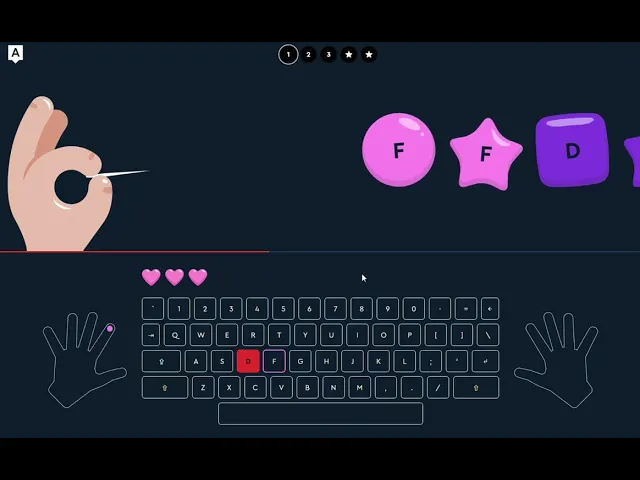
Outcome: Students practice mouse skills through game-based activities, get introduced to the keyboard, learn basic typing, and master working with files and folders.
Module 1
Module 2
Module 3
Module 4
Module 5
Module 6
Module 7
Module 8
Digital Start: Mouse, Keyboard, and File System
L1. First Steps: Getting to Know the Computer
L2. Print, Delete, Copy
L3. Digital Observatory
L4. Saving Mechanical Animals
L5. Digital City
L6. Technical Workshop
Outcome: Students practice mouse skills through game-based activities, get introduced to the keyboard, learn basic typing, and master working with files and folders.
Digital Start: Mouse, Keyboard, and File System
L1. First Steps: Getting to Know the Computer
L2. Print, Delete, Copy
L3. Digital Observatory
L4. Saving Mechanical Animals
L5. Digital City
L6. Technical Workshop
Outcome: Students practice mouse skills through game-based activities, get introduced to the keyboard, learn basic typing, and master working with files and folders.
M1
M2
M3
M4
M5
M6
M7
M8
Why learn Digital Literacy?
Why learn Digital Literacy?
Why learn Digital Literacy?
Helps with studying
Helps with studying
We teach students how to manage their workload easily and stay one step ahead of their classmates.
We teach students how to manage their workload easily and stay one step ahead of their classmates.
A ticket to the future
A ticket to the future
A solid foundation for learning programming and digital design.
A solid foundation for learning programming and digital design.
Online safety
Online safety
We teach how to search for information properly and confidently navigate online risks.
We teach how to search for information properly and confidently navigate online risks.
Learn through play
Learn through play
We master computers and complex programs through an exciting, adventure-style format.
We master computers and complex programs through an exciting, adventure-style format.